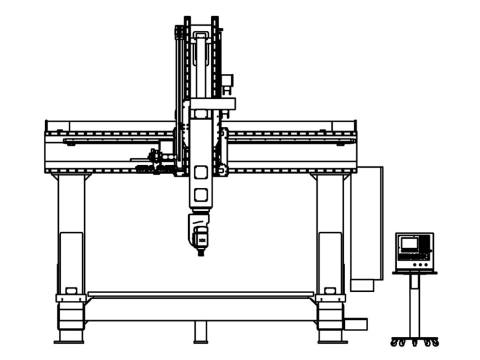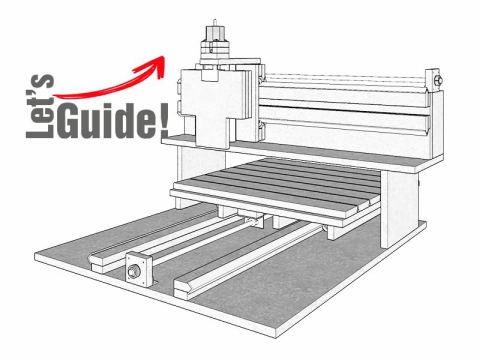
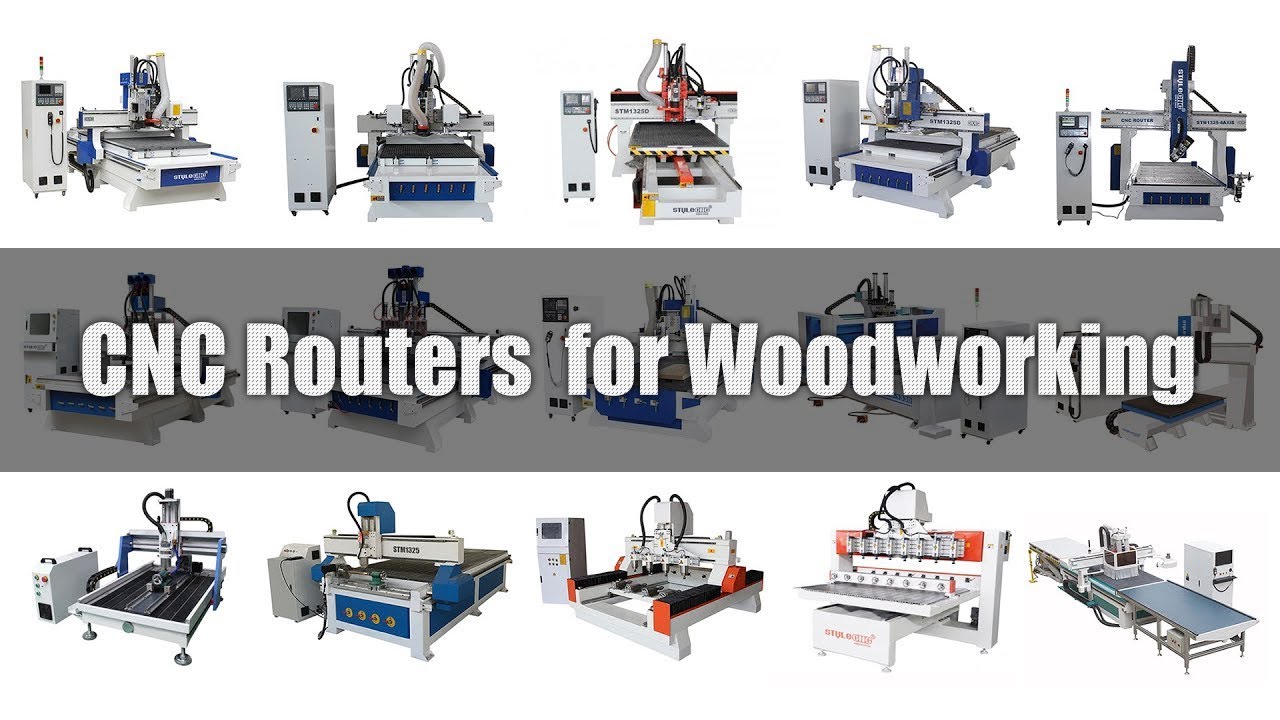
Ať už pracujete se dřevem nebo kovoobráběním, budete používat jedno automatické elektrické nářadí: CNC frézku. Tyto typy strojů mohou výrazně ovlivnit průmyslovou hromadnou výrobu. CNC routery se časem stávají příjemci. Problémy jsou mezi nimi ale velmi časté.
Při použití a CNC router, možná vás trápí různé problémy a nevíte, jak je vyřešit? Začněme odstraňování problémů jeden po druhém.
Odstraňování poruch
1. problém: Jedna osa nebo 3 osy se nepohybují nebo se pohybují nepravidelně.
Řešení:
1. Řídicí karta je uvolněná nebo nefunkční.
2. Odpovídající porucha pohonu hřídele.
3. Porucha odpovídajícího krokového motoru osy.
4. Odpovídající prasknutí nebo uvolnění spojky (příznaky uvolnění spojky, dislokace řezbářských fontů).
5. Odpovídající prasknutí šroubu nebo porucha matice šroubu.
6. Rychlé selhání příslušného prokluzu osy.
7. Rozdělení disku, aktuální nastavení a nastavení softwaru nejsou stejné.
2. problém: Osa Z mimo kontrolu (Bity Norte).
Řešení:
1. Řídicí karta je uvolněná nebo nefunkční.
2. Elektrostatické rušení.
3. Porucha vedení motoru osy Z.
4. Cesta k souboru je nesprávná.
5. Rušení měniče.
6. Počítačový systém má problém nebo virus.
7. Výkon motoru v ose Z není dostatečný, spojka uvolněná.
8. Proud pohonu osy Z je příliš malý nebo je signální vedení nesprávné.
3. problém: Chyba CNC routeru.
Řešení:
1. Řídicí karta je uvolněná nebo nefunkční.
2. Selhání pohonu.
3. Porucha krokového motoru.
4. Elektrostatické rušení.
5. Porucha vedení motoru.
6. Selhání datové linky.
7. Cesta je špatná.
8. Spojka je zlomená nebo uvolněná.
9. Rychlost zpracování je příliš vysoká (zrychlení křivky parametrů systému je příliš velké).
10. Problémy s počítačovým systémem nebo viry.
4. problém: Vyřezávání různých odstínů.
Řešení:
1. Řídicí karta je uvolněná nebo nefunkční.
2. Porucha krokového motoru.
3. Selhání disku nebo aktuální dělení a nastavení softwaru jsou nekonzistentní.
4. Porucha vedení motoru osy Z.
5. Porucha motoru vřetena.
6. Interference měniče nebo nesprávné nastavení dat.
7. Elektrostatické rušení.
8. Počítačový virus nebo systémové problémy.
9. Nerovná pracovní plošina.
Pátý problém: nepravidelné řezbářství.
Řešení:
1. Selhání řídicí karty
2. Rušení měniče.
3. Cesta k souboru je nesprávná.
4. Elektrostatické rušení.
5. Problémy s nastavením softwaru.
6. Chyba měniče nebo nesprávně nastavené dělení proudu.
7. Selhání datové linky.
8. Počítač má virus nebo systémový problém.
Šestý problém: Nerovnoměrné frézování.
Řešení:
1. Vřeteno a stůl nejsou svislé, které je třeba opravit (příznaky výkonu: různé hloubky frézování).
2. Řezačka má problém.
3. Došlo k problému s kontrolní kartou.
4. Problém pohonu osy Z nebo šroubu osy Z.
7. problém: Zastavení vřetena CNC routeru.
Řešení:
1. Vnitřní zkrat vřetena.
2. Stínění proudu.
3. Chyba nebo porucha nastavení parametrů měniče.
4. Selhání řídicí karty.
5. Zkrat vřetena nebo datového vedení.
8. problém: Pracovní zvuk vřetena je abnormální.
Řešení:
1. Nesprávné nastavení měniče.
2. Vřeteno se neotáčí.
3. Samotné vřeteno má problém (poškození ložiska).
9. problém: CNC router se pohybuje zpět nebo zpět do původního směru opačného směru.
Řešení:
1. Změňte soubor v programu Poznámkový blok.
2. Upravte zapojení měniče.
3. Upravte směr motoru v softwaru.
10. problém: Normálně se nelze vrátit zpět k původu.
Řešení:
1. Opačný směr.
2. Řídicí karta je vadná nebo uvolněná.
3. Selhání koncového spínače nebo datové linky.
4. Selhání pohonu.
5. Porucha motoru.
Jedenáctý problém: Vřeteno se automaticky otáčí nebo zastaví.
Řešení:
1. Selhání řídicí karty
2. Porucha měniče.
Dvanáctý problém: Když otevře software, počítač zobrazí výzvu „Operace se nezdařila“.
Řešení:
1. Zkontrolujte, zda není nainstalován ovladač karty nebo deska pro slot PCI.
2. Znovu nainstalujte 2 datové kabely a zkontrolujte, zda nedošlo k poškození jehly.
3. Problém s kartou, vyměňte kartu.
Třináctý problém: CNC router vyzve při otevírání softwaru: Alarm 3 os, chyba inicializace číslo čtyři.
Řešení:
1. Zkontrolujte, zda počítač a 2 datové linky nejsou připojeny.
2. Zkontrolujte, zda je spálená pojistková skříňka v adaptérové desce ovládací skříňky, zda není pojistka.
3. Zkontrolujte, zda je napájení 85V normální.
Čtrnáctý problém: řezba na špatném místě nebo ve špatné velikosti.
Řešení:
1. Zkontrolujte, zda je cesta softwaru CNC správná nebo ne.
2. Zkontrolujte velikost mezery mezi šroubovou tyčí a upevňovacími šrouby světelné tyče, zda nejsou uvolněné.
3. Zkontrolujte, zda jsou správně nastaveny softwarové parametry.
Patnáctý problém: Když se osa X někam přesune, osa Z nezvedne nástroj, přesuňte tlačítko nahoru, ale jděte dolů.
Řešení:
1. Zkontrolujte, zda krokový motor osy Z funguje normálně, velikost výkonu a proudu pohonu nebo jejich vlastní poruchu.
2. Zkontrolujte, zda je vedení krokového motoru osy Z vadné nebo přerušovaný kontakt.
3. Selhání řídicí karty.
Šestnáctý problém: Motor vřetena se neotáčí ani necouvá.
Řešení:
1. Zkontrolujte nastavení parametrů střídače.
2. Signální vedení měniče je obrácené.
Sedmnáctý problém: Otevřete spouštění softwaru, hřídel se zdá zavřená.
Řešení:
1. Problém s měničem nebo špatný kontakt výstupního signálu počítače.
2. Kontakt vedení motoru je špatný.
Osmnáctý problém: v procesu omezování fenoménu.
Řešení:
1. Zkontrolujte, zda je cesta řezbáře mimo rámec sochy.
2. Parametry softwaru nastavené v softwarovém limitu.
Devatenáctý problém: Software CNC routeru nelze normálně otevřít, vyřezávané věci se deformují.
Řešení:
1. Znovu nainstalujte nový systém a software.
2. Zkontrolujte, zda je šroub osy X, Y a šroub uvolněný.
3. Bit routeru má problém.
Dvacátý problém: Během práce se motor vřetena náhle zastavil nebo se pomalu otáčel.
Řešení:
1. Nestabilita pracovního napětí nebo přetížení, plus regulátor může být.
2. Zkontrolujte, zda je připojena střední čára, zda je závit mimo svar.
Dvacátý první problém: Při nastavování původního bodu se někdy pohybuje dopředu a doprava a vzdálenost není pevná.
Řešení:
1. Selhání koncového spínače, systém zpět do původního koncového spínače systému sepnul a odskočil, vyměňte koncový spínač.
2. Uvolněte vodič pohonu a pokuste se jej pevně držet.
Dvacátý druhý problém: CNC router lze resetovat na osu X, osu Y, polohu osy Z nejistou.
Řešení:
1. Koncový spínač je poškozen (koncový spínač je vždy sepnutý), můžete jej změnit.
2. Přerušené vedení pohonu (zkrat na ose X 14 a 15 kolíků, zkrat na ose Y 13 a 15 kolíků, zkrat na ose Z 31 a 15 kolíků), vyměňte pohon vedení nebo zkrat lze oddělit.
3. Deska ovladače je poškozená, vyměňte desku ovladače.
Upozornění
1. Neinstalujte toto zařízení během blesků nebo bouřek, neinstalujte elektrické zásuvky na vlhká místa a nedotýkejte se neizolovaných napájecích kabelů.
2. Obsluha stroje musí projít přísným školením a musí dbát na osobní bezpečnost a bezpečnost stroje při provozu a obsluhovat CNC stroj v přísném souladu s provozními postupy.
3. Napájecí napětí musí být 210V-230V. Pokud je napájecí napětí nestabilní nebo se v okolí nachází elektrická zařízení s vysokým výkonem, zvolte prosím regulovaný zdroj napájení pod vedením profesionálních techniků.
4. Stroj a ovládací skříň musí být uzemněny a datový kabel nesmí být zapojen do elektřiny.
5. Obsluha by neměla pracovat v rukavicích, nejlépe s ochrannými brýlemi.
6. Tělo stroje je součástí leteckých hliníkových odlitků portálové ocelové konstrukce, která je poměrně měkká. Při montáži šroubů (zejména při montáži hnacího motoru) nepoužívejte příliš velkou sílu, abyste zabránili sklouznutí drátu.
7. Nože musí být nainstalovány a upnuty, aby nástroje zůstaly ostré, tupé nože zhorší kvalitu řezu a přetíží motor.
8. Nestrkejte prsty do pracovního rozsahu nástroje a nesnímejte vřeteno pro jiné účely. Nezpracovávejte materiály obsahující azbest.
9. Nepřekračujte rozsah mechanického zpracování, při delší nečinnosti vypněte napájení a pohyb stroje provádějte pod vedením profesionálů.
10. Pokud je stroj abnormální, přečtěte si kapitolu o odstraňování problémů v návodu k obsluze nebo se obraťte na prodejce, aby problém vyřešil, abyste předešli poškození způsobenému člověkem.
Montáž CNC routeru
Varování: Všechny operace musí být provozovány při vypnutém napájení.
1. Spojení mezi mechanickým tělem a ovládací skříní,
2. Připojte řídicí datové vedení na hlavním těle stroje k řídicí skříni.
3. Zástrčka napájecího kabelu na těle stroje je zapojena do standardu 220V zdroj napájení.
4. Pro připojení mezi řídicí jednotkou a počítačem zasuňte jeden konec datového kabelu do vstupního portu datového signálu na řídicí jednotce a druhý konec do počítače.
5. Zapojte jeden konec napájecího kabelu do napájecího zdroje na ovládací skříni a druhý konec do standardního 220V zásuvka.
6. Nainstalujte frézu na spodní konec vřetena skrz pružinové sklíčidlo. Při instalaci nástroje 1. vložte pružinové sklíčidlo vhodné velikosti do kuželového otvoru vřetena, poté vložte nástroj do středního otvoru sklíčidla a pomocí náhodného malého klíče upněte plochou drážku krku vřetena, aby se netočilo, a poté pomocí velkého klíče otočte matici vřetena proti směru hodinových ručiček, abyste nástroj utáhli.
Obsluha CNC routeru
1. Sazba dle požadavků zákazníka a požadavků na design. Po správném výpočtu cesty uložte cesty různých nástrojů. Uložte je do různých souborů.
2. Po kontrole správnosti cesty otevřete soubor cesty v řídicím systému CNC stroje (k dispozici je náhled).
3. Upevněte materiál a definujte původ díla. Zapněte motor vřetena a správně nastavte počet otáček.
4. Zapněte napájení pro provoz stroje.
Bota
1. Zapněte hlavní vypínač, kontrolka napájení se rozsvítí, stroj 1. se resetuje a provede vlastní kontrolu, osy X, Y, Z se vrátí do nulového bodu a poté se každý přepne do výchozí pohotovostní polohy (počáteční počátek stroje).
2. Pomocí ručního ovladače nastavte osy X, Y a Z a zarovnejte je s počátečním bodem (počátkem obrábění) řezané obrobky. Rychlost otáčení vřetena a rychlost posuvu se vhodně zvolí tak, aby se CNC stroj dostal do provozního stavu čekání.
sochařství
1. Upravte soubor, který chcete vyjmout.
2. Otevřete přenosový soubor, přeneste soubor do CNC stroja řezání souboru může být dokončeno automaticky.
úprava
Po dokončení souboru stroj automaticky zvedne bit a přejede na začátek počátečního bodu práce.
Údržba
1. Doba nepřetržitého provozu je kratší než 10 hodin denně, aby byla zajištěna čistota chladicí vody a normální provoz vodního čerpadla, a motor vodního vřetena nesmí nikdy mít nedostatek vody a chladicí voda by měla být vyměněna pravidelně, aby teplota vody nebyla příliš vysoká. V zimě, pokud je teplota pracovního prostředí příliš nízká, lze vodu v nádrži nahradit nemrznoucí kapalinou.
2. Po každém použití stroje věnujte pozornost čištění, nezapomeňte vyčistit prach na plošině a převodovém systému a pravidelně (týdně) mazat převodový systém (osy X, Y, Z 3). (Poznámka: 3osé leštěné tyče X, Y, Z jsou udržovány olejem; šroubová část je doplněna vysokorychlostním máslem; pokud je teplota pracovního prostředí v zimě příliš nízká, šroubová tyč a leštěná část tyče (čtvercové vedení nebo kulaté vedení) by měly být nejprve opláchnuty benzínem. a poté přidejte olej, jinak bude odpor převodové části stroje příliš velký a stroj bude příliš velký.)
3. Údržba a kontrola elektrických spotřebičů musí být odpojena a lze ji provádět pouze tehdy, když na monitoru není žádný displej a kontrolka napájení hlavního obvodu zhasne.
Body, které je třeba poznamenat
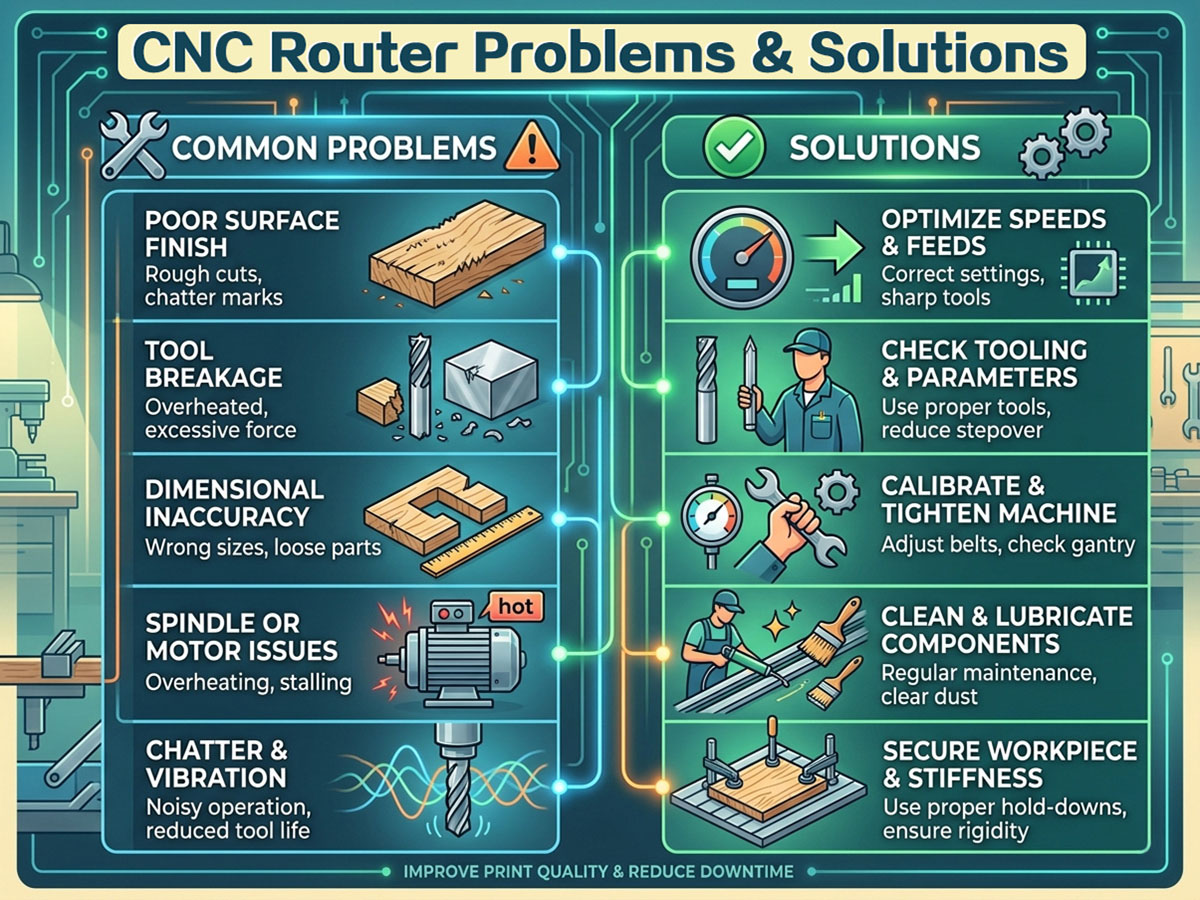
CNC routery jsou neuvěřitelně užitečné nástroje v různých průmyslových odvětvích. Ale problémy jako špatná kvalita řezu, nadměrné opotřebení nástroje, vibrace stroje, nepřesné rozměry řezu, vibrace nástroje a elektrické problémy jsou běžné kvůli nesprávné údržbě a nadměrnému tlaku nevhodnými materiály.
Nalezení problému a provedení prvních kroků může vždy zachránit váš stroj před poškozením. Proto doporučujeme věnovat náležitou péči a údržbu a podle toho používat správný nástroj pro vaši výrobu.